
Microduck accessories and packs: Charger, Accessory and Dev compared
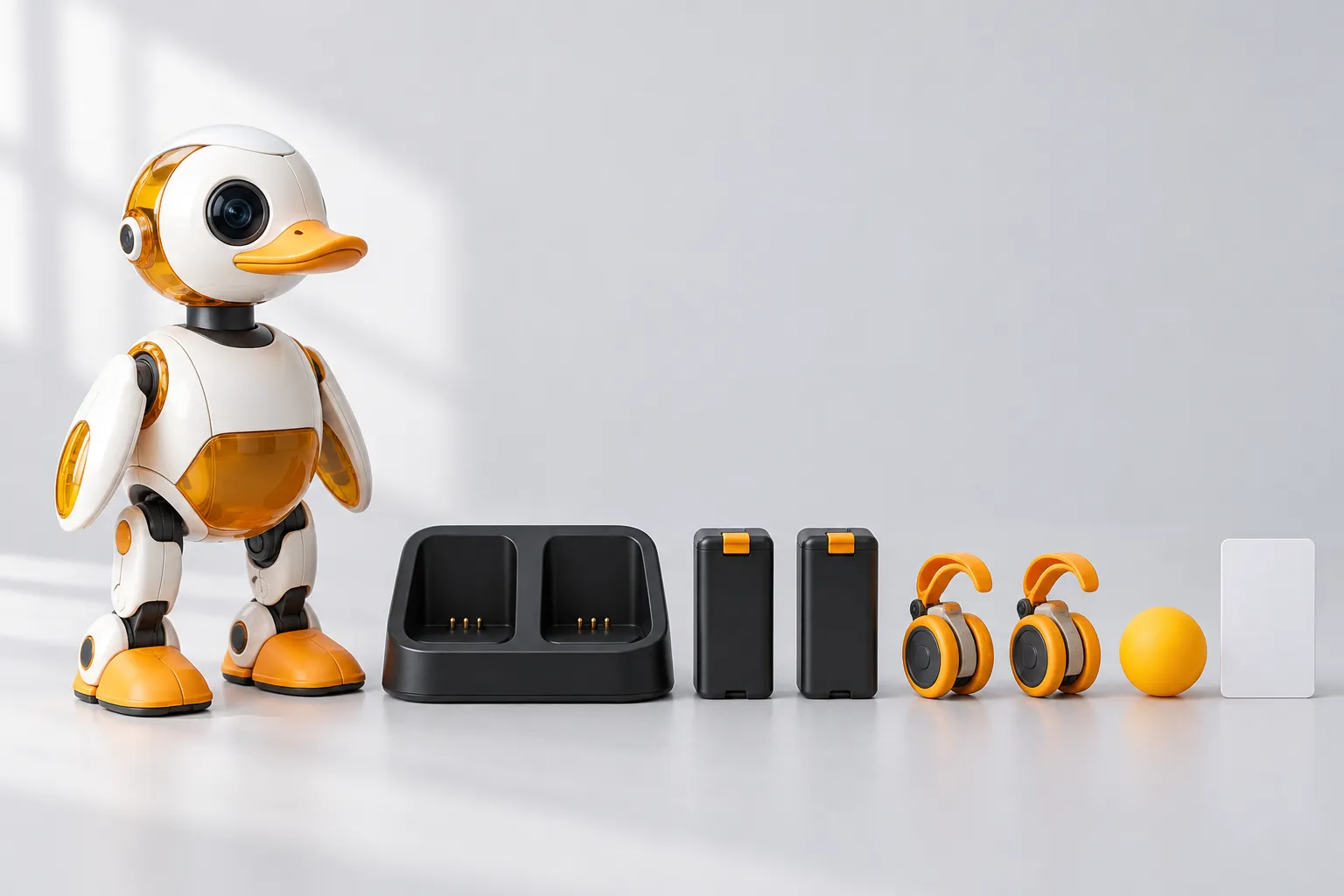
The Microduck robot is complete without any pack - one purchase, nothing else required. The three optional packs are for what comes after the first evening: longer sessions, the props the moves use, and spare parts for people who intend to open the duck up. This page says exactly what each pack contains and who it is for. Prices are as on the pre-order page: before taxes and shipping, paid once.
The three packs at a glance
| Pack | Price | What it adds | Best for |
|---|---|---|---|
| Charger | $39 | A dual charger and two extra batteries | Longer sessions without waiting between charges |
| Accessory | $39 | The props the moves use: two rollers, a ball, a laser pointer, an NFC polaroid and ten NFC tags | Roller mode, kicking, and hands-on play |
| Dev | $119 | Three spare motors, five motor cables, two batteries, a dual charger, ten NFC tags, a screwdriver and screw pack, and a Hugging Face credit | Owners who will open, mod and repair the robot |
All three are independent: none is required, and buying one does not commit you to the others.
Charger pack ($39): two spare batteries and a dual charger
The robot ships with a rechargeable battery, and you charge it over the USB-C cable that also comes in the box. The Charger pack is for people who would rather swap than wait: a dual charger and two spare batteries, so one battery can be charging while the duck walks.
Pick this one if the duck will spend evenings on your desk, or if sessions tend to run longer than a single battery wants to.
Accessory pack ($39): the props the moves use
This is the play-gear pack - the objects the shipped moves and routines are built around:
- Two rollers - clip them on, ask for roller mode, and the robot switches to its driving policy and skates.
- A ball - the target for the kick move, and for improvised games.
- A laser pointer - for chase routines.
- An NFC polaroid and ten NFC tags - part of the interactive play set the moves use.
Pick this one first if you want to see everything the duck can do physically, roller mode included. The moves page explains what each prop is used for.
Dev pack ($119): the open-it-up kit
The Dev pack is for the people the open-source stack was built for - it assumes you will have the shell open eventually:
- Three spare motors and five motor cables - the parts that work hardest in a biped.
- Two batteries and a dual charger - the charger side of the pack, included.
- Ten NFC tags, a screwdriver and screw pack, and a Hugging Face credit.
If you plan to retrain policies (here is how training works) and you would rather repair than wait on shipping, this is the pack with your name on it.
Which pack should you get first?
- Just want the duck? None. The robot is complete out of the box - controller, battery and cable included.
- Want everything that moves: Accessory - roller mode and the kick props live here.
- Long sessions: Charger - two spare batteries beat watching a charge light.
- Modding and training: Dev - spares plus the charger side in one purchase.
- Cannot decide: the Accessory pack is the common first pick, because it unlocks roller mode; the Charger pack is the one people come back for. Both together are $78.
Battery and charging questions
How is Microduck charged? Over the USB-C cable included in the box. The Charger pack adds a dual charger and two spare batteries for longer sessions.
How long does the battery last? It depends how hard you drive it - walking and kicking pull more than standing around. Rather than publish one number that flatters the robot, here is the honest version: active sessions drain faster than idle ones, and swapping batteries is what the Charger pack exists for.
Are the batteries swappable? Yes - the robot ships with one rechargeable battery, and both the Charger and Dev packs add spares, so you can swap and keep going.
Do I need the Dev pack to train my own moves? No. Training happens in simulation with the open-source stack - the training guide needs no spare parts. The Dev pack is for people who also want to open and repair the hardware.
Do the packs come in colours? The colourways - Cream, Graphite, Lavender and Sky - are about the robot. Packs are the same for every colour.
Do I need anything else to start? No. If you are wondering what the first hour even looks like, the getting started guide walks it minute by minute.
Where to go next
- Pre-order Microduck and the packs - $399 for the robot, packs from $39
- Microduck moves - what the accessories are actually for
- Microduck specs - the packs in spec terms, next to everything else
- Microduck FAQ - buying, delivery and duties answered